LitMotion Animation
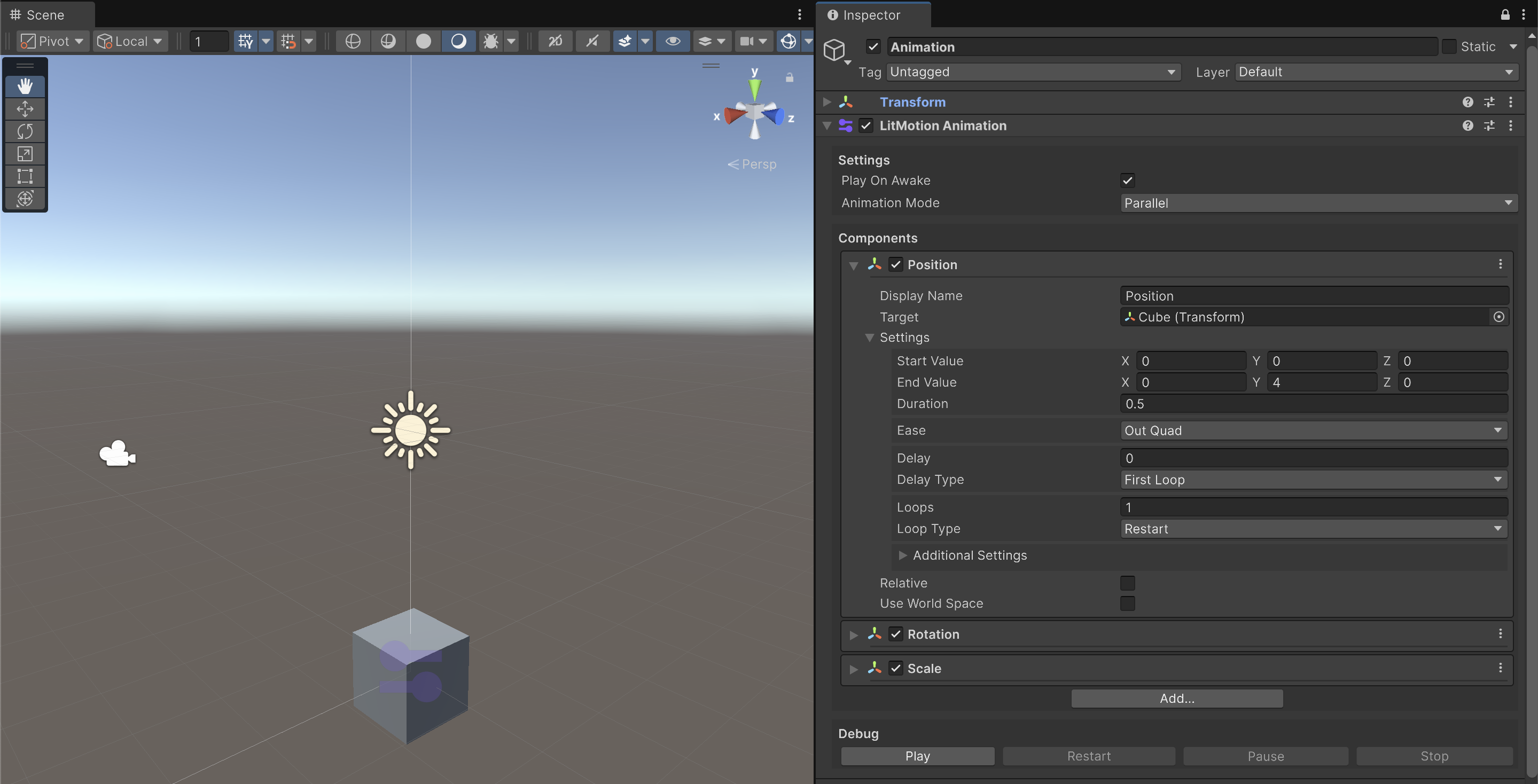
LitMotion Animation is a component for creating animations using LitMotion.
Settings
Play On Awake
When set to true, the animation will automatically play on startup.
Animation Mode
Specifies how the animations set in the Components will be played. Parallel plays all animations simultaneously, while Sequential plays the animations in the order they appear.
Components
In LitMotion Animation, you create animations by combining Animation Components.
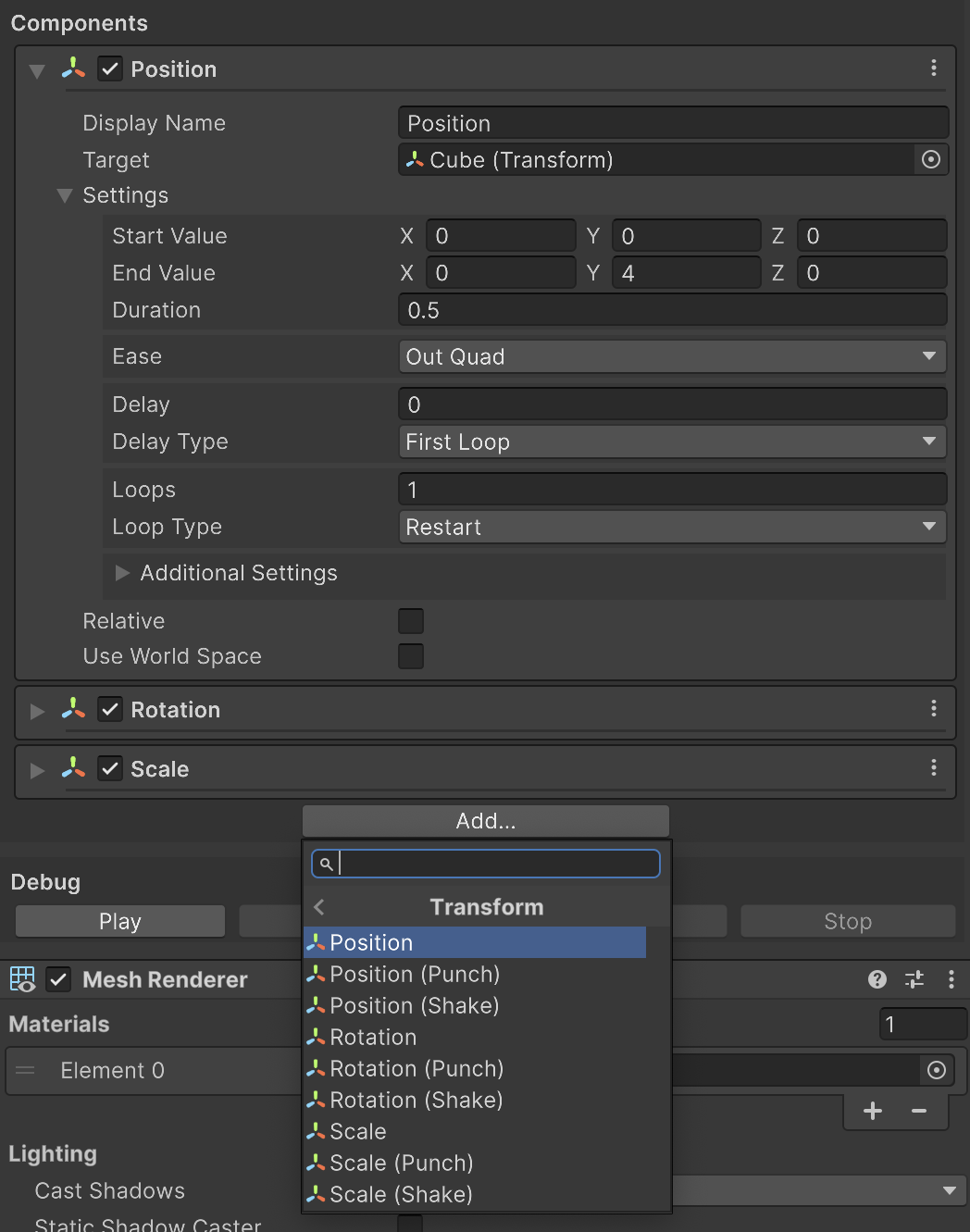
Click the [Add...] button to add a new Animation Component.
Built-in Animation Components are provided for animating major Unity components, and you can also create your own custom Animation Components.
Debug
This panel is used for previewing the animation playback. You can press the [Play] button to start the animation.
It works in both Edit Mode and Play Mode.